Introduction
Welcome to our introduction to using Git. This is one session
June 10 from 9:00-12:00
and is composed of a series of short live demos and exercises.
Our training website https://training.computeontario.ca has links to a readable version of today’s presentation in web, pdf, and epub format. You do not have to worry about taking notes or falling behind.
If you don’t have a Digital Research Alliance of Canada account to access the nibi cluster, you can use our summer
school Magic Castle training cluster. Get your username and password under the Magic Castle Username and Password
link in the morning session, and substitute nibi.alliancecan.ca with coss2026a.c3.ca in what follows.
BigBlueButton and Etiquette
Before getting started, we would like to introduce you to the online platform BigBlueButton and discuss the online etiquette that we expect throughout the workshop.
First I would like to ask everyone to mute their microphone. You can do this by click the microphone icon. The microphone icon is in the far left of the menu bar on the bottom of the BigBlueButton window. You know your microphone is muted when you see a slash through the microphone icon.
It is good etiquette to leave your microphone off unless you are speaking as otherwise everyone will hear the background noise from your space, and we will be forced to mute you, which is something you cannot undo. If you want, you can also turn off your video by clicking the video camera icon to the immediate right of the microphone icon. A slash through indicates it is off too.
There is a public chat messaging system in the upper left. Feel free to use this to ask any questions you may have during the presentation. Our staff members are monitoring this and will respond. Also note that there is a maximize button in the upper right of the main window that will expand the content to fit the main window.
On the subject of etiquette, we want to maximize learning in these sessions by creating a welcoming and supportive environment for everyone regardless of background, identity, or knowledge level. Please be mindful to not engage in any behavior that is going to diminish the experience for any of the participants or the instructors.
Motivation
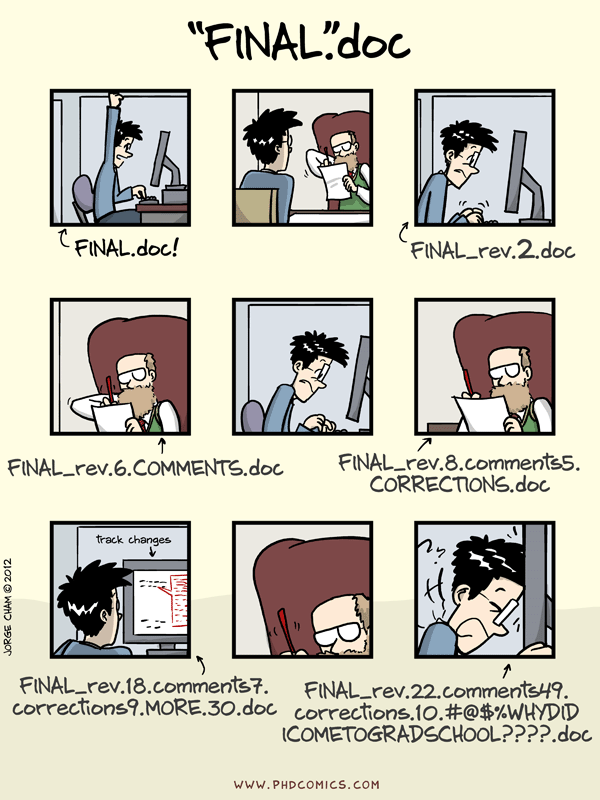
Revisions and versions are a fact of life. Everyone uses a version control system. It is just that, as the following PHD Comics comic so elegantly depicted, some of us are using a very bad version control system.
Even more painful than trying to maintain your own work this way, is trying to collaborate. For this reason, any significant code development is going to involve version control. Today the dominate system for this is GitHub. It has a 88.39% market share according to 6sense. The system underlying GitHub is git, and it is used by 96.65% of professional developers according to a 2022 Stack Overflow developer survey. The truth is it is pretty hard to avoid Git it today’s world unless your field is dominated by a few well established closed source programs with binary input and output files manipulated by a graphical user interface (GUI).
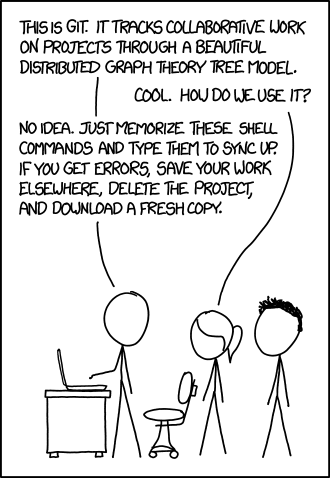
As portrayed in the following XKCD comic, for many self-taught people, Git is essentially a black box that they use a few memorized command with and hope nothing goes wrong.
The goal of this course is to pull back the curtains on Git and reveal it for the useful version control system that it is. Not another tool that you have to suffer through learning, but something that will actually make your life better. Is not without reason that it is so dominate. It does version control extremely well.